Showing posts with label twitter. Show all posts

Tuesday, 2 December 2008

Tweetlater - Use if Twitter.com Is Blocked

All,

I liked the idea of Twittermail, yet I had issues and concerns with corporate disclaimers. Certainly since I travel and can use a multitude of email systems and setups. There was no clarification about disclaimers being shown or not on my tweets. So I didn't want to go down that route.

Then magically I found TweetLater. I like this service because :
  1. It is web based
  2. You can schedule 'tweets'
  3. Set up auto responders for others than follow you
  4. So far, no company I've been at has banned the website, yet they may ban twitter.com
Happy Travels

A

Sunday, 23 November 2008

How To Update Your Twitter Status With Skype

All,

I signed up for Twitter. Think of Twitter as text messaging for the internet.

I use Skype lots. Skype is a telephone application that uses your internet connection. If you are in contact with somebody else and you both use Skype to talk to each other, the call is free. If like me you travel it is brilliant.

When I'm looking for new applications or ways to save me time. I look for several things.

1. Can I use the application with and via email? i.e. if I need to add something or use the system. Can I update it via email? Thus I don't have to log into their website all the time to use it.
2. Can I view the application data with my desktop/web email client?
3. Does the application hook into my email calendar?
4. Can I use Skype with it to add or receive updates?

Twitter allows me to update my status via Skype chat messages

How To Do It?

Open up Skype


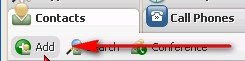
Click on the Contacts Tab, then the Add button.
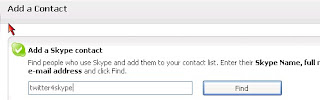

In the Add contact box enter twitter4skype and press the Find Button
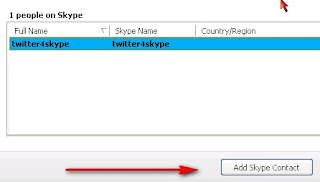

Once the contact has been found. Press the Add Skype Contact Button
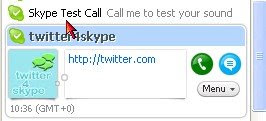

Now you will see a Twitter4Skype in your list of contacts

How To Register And Use With Twitter4Skype
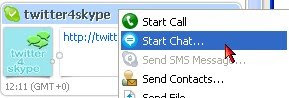

Start a Chat with the twitter4Skype contact, by right clicking on the contact and Select Start Chat


Enter the following information in the chat window

/account (press shift+return)
your twitter account name (press shift+return)
your twitter account password (press shift+return)
Press Return - this sends the message to twitte4skype


The system should return: twitter4skype Registration complete!
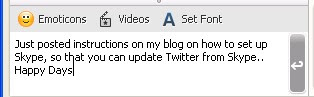

When you write a chat to twitter4skype


Twitter4Skype will return a success message when your update has succeeded.


The next time you write a chat message to twitter4skype, the entry will appear as your Twitter message



Happy Travels

A

How To Update Twitter by Email

All,

Having a fun weekend updating and playing with Twitter. I like to be able to update my accounts and apps by email. I found the following

http://twittermail.com

This very simple app allows me to update my status via email. If your work stops you from accessing twitter, you can still update your status via email

Happy Travels

A

Saturday, 22 November 2008

Twitter = Text Messaging For The Internet

All,

After much debate i.e. could I be bothered. I've signed up for Twitter. Since I spend much of my time on my laptop, I've also added Twitter as a contact so that I can type my updates from Skype. Using Skype as my gateway is fast a key option for me and applications.

Even better I found out that I can follow my own 'Tweets' via RSS feed. I think RSS feeds are brilliant. They save me a heap of time.

Why sign up for your own Twitter/Blog RSS feed? - To Make Sure It Is Working!! It is also pretty useful for checking spelling and grammar.


The number of people that don't sign up for their own RSS feed is amazing. If you have a RSS feed you or one of your team must sign up for it. That way you can often spot issues before others tell you about them.

Sign up for Twitter here

If you want an excelllent heads up. Michael Hyatt has done it again, here
If you already using Twitter, I'm here

Happy Travels

A